I once watched a startup founder buy three new domains on a Monday, upload a list of 2,500 unverified contacts on Tuesday, and launch an aggressive outbound email campaign by Wednesday morning.
By Friday afternoon, all three domains were hard-blacklisted by Google Workspace and Microsoft 365.
Every single email sent from their company was routed directly into spam folders. Even their transactional receipts and team calendar invites stopped reaching clients.
A fresh email domain has zero sending reputation. In the eyes of automated security filters, zero reputation is high-risk reputation.
The 4 Mandatory DNS Records (Do Not Skip These)
Before you send a single cold email via HubSpot or Zoho Mail, you must authenticate your domain identity in your DNS management console (Cloudflare, GoDaddy, or Namecheap) and verify it on MxToolbox:
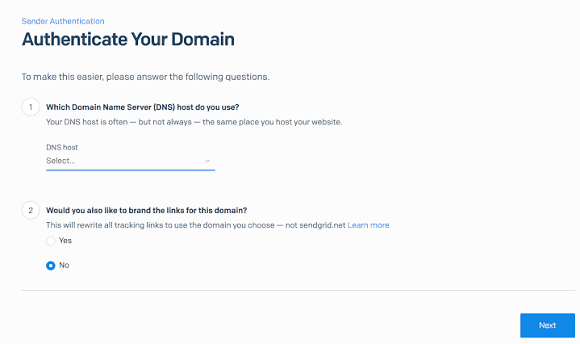
- SPF (Sender Policy Framework): A TXT record defining exactly which mail servers are permitted to send emails on your behalf.
- DKIM (DomainKeys Identified Mail): A cryptographic signature attached to your email headers that proves the message was not modified in transit.
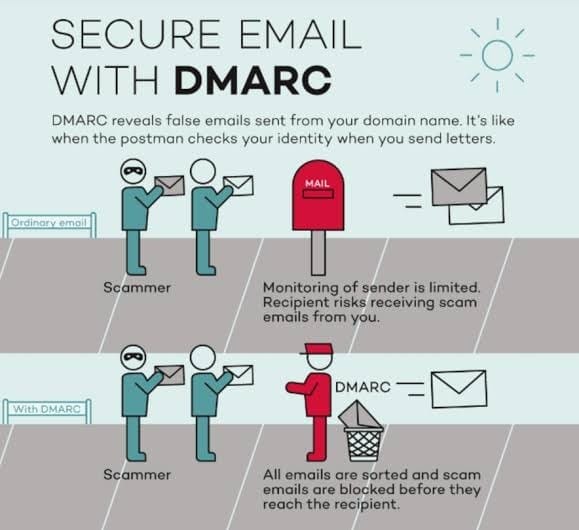
- DMARC (Domain-based Message Authentication): A policy instructing receiving mail servers how to treat messages that fail SPF/DKIM checks (start with p=none during warmup and move to p=quarantine).
- Custom Tracking Domain: Set up a dedicated CNAME sub-domain (such as track.yourdomain.com) to isolate your click tracking from shared platform domains.
Automated Warmup with Modern Sales Tools
Once DNS records are propagated, enroll your accounts in specialized warmup platforms like Smartlead or Instantly. These platforms simulate peer-to-peer engagement by sending and auto-rescuing messages across thousands of live business inboxes.
The 21-Day Volume Ramp Schedule
Do not attempt to send 50 emails on day one. Use this structured 3-week ramp to build domain reputation naturally:
| Timeline | Automated Warmup Pool | Live Cold Prospecting | Total Daily Volume |
|---|---|---|---|
| Days 1 to 7 | 5 to 10 emails/day | 0 emails | 5 to 10 |
| Days 8 to 14 | 15 emails/day | 10 verified B2B leads | 25 |
| Days 15 to 21 | 20 emails/day | 25 verified B2B leads | 45 |
| Day 22 Onward | 15 emails/day | 35 max leads/inbox | 50 (Cap per inbox) |
If your campaign requires sending 300 emails per day, do not scale a single inbox to 300. Buy secondary domains (such as getcompany.com or trycompany.com) and run 6 mailboxes at 50 emails each.
Copywriting Traps That Trigger Spam Algorithms
Security filters scan message syntax before delivering emails to inboxes:
- Avoid aggressive marketing words: "100% Free", "Risk-Free Guarantee", "Act Now", "Huge Discount".
- Keep messages in clean plain text; avoid heavy HTML templates and embedded images on initial cold touches.
- Ensure your prospect list is 100% verified through Apollo.io to keep hard bounces strictly under 2%.
Need Hands-On Help Hardening Your Outbound Infrastructure?
Protecting your sender reputation and scaling multi-domain cold email engines requires technical precision and ongoing monitoring.
Check out my services and past results or reach out directly to get your outbound email setup audited.